
SaaS & subscriptions
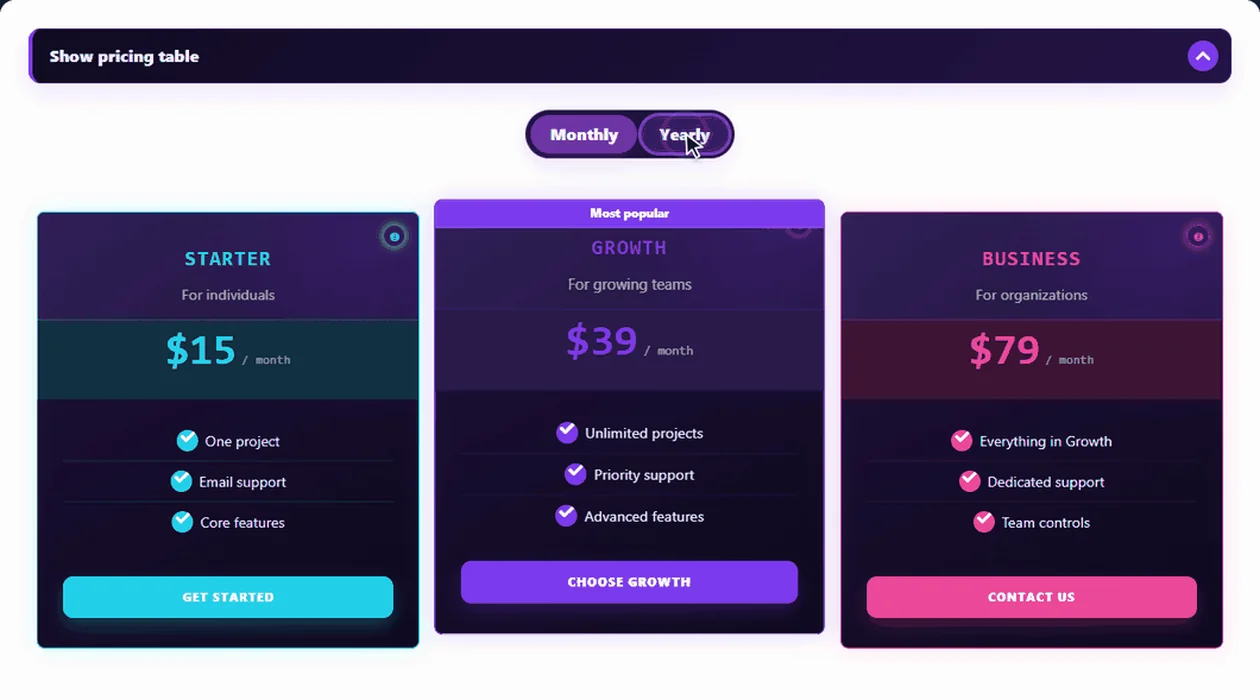
Monthly and yearly plans side by side, a “Most popular” badge on the plan you want to sell and feature rows that show what every tier adds.
Glass SaaS · Fintech Dashboard · StartupBuild responsive pricing tables for plans, packages and services on a drag-and-drop canvas — badges, sale prices, buy buttons, countdowns and 100+ themes. Free in Data Tables Generator by Supsystic, the same plugin that makes Excel-like and WooCommerce tables.
A live HTML pricing table: click a theme or the switch.
Pricing Table by Supsystic is now part of Data Tables Generator. New pricing tables, themes and features land there: one plugin for pricing, data and WooCommerce tables. Already use the Pricing Table plugin? It keeps working, and its documentation stays online.
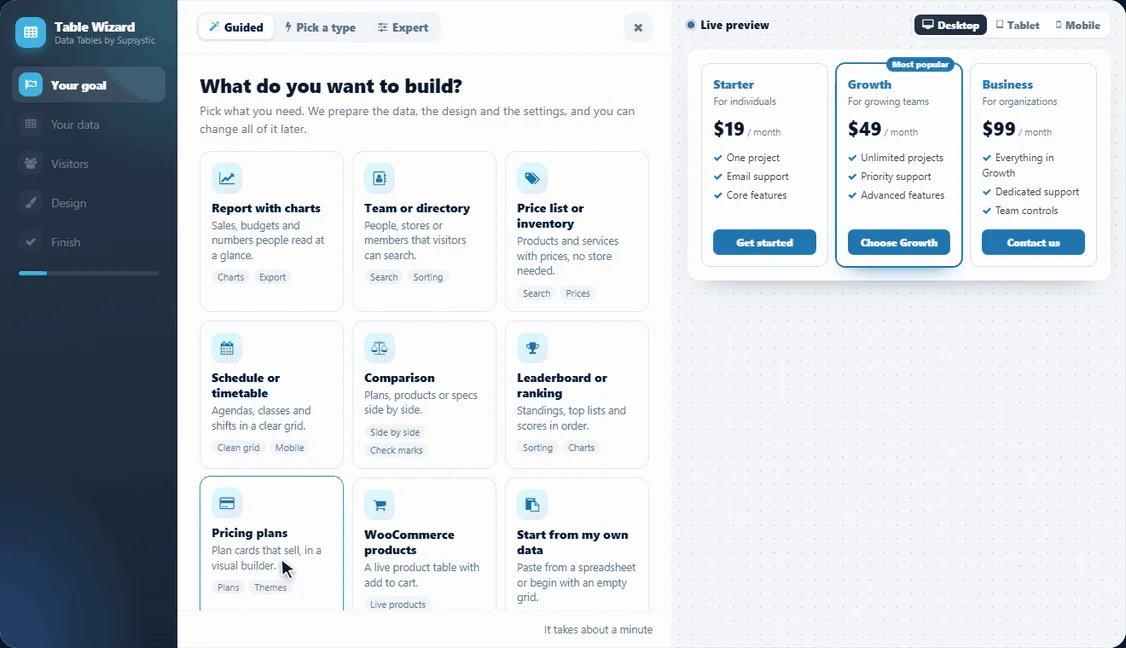
No blank settings page. The table wizard hands you a finished, responsive pricing table with sample plans, and every change after that happens right on the table.
Open Data Tables → Add New Table and choose Pricing plans. The live preview shows a finished three-plan table before you click anything else.
Edit names and prices in place, drop in features, badges, buttons or a countdown, and style any element from the inspector.
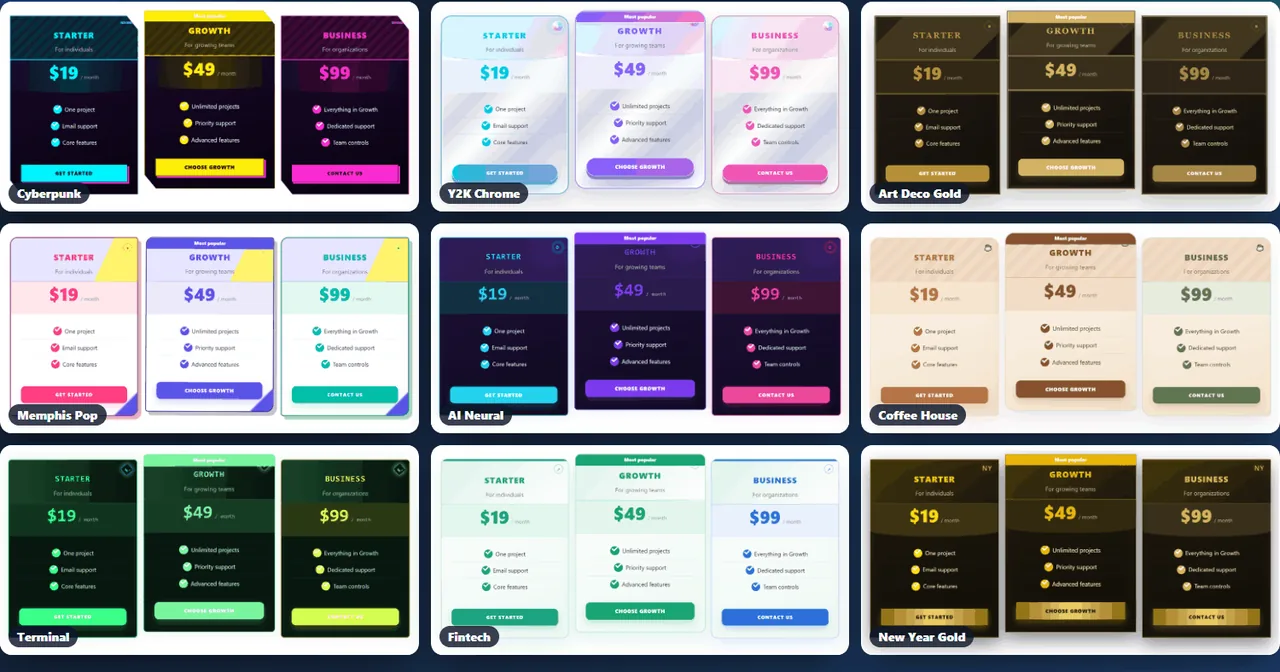
Try any of the 100+ themes on your own plans. Colours, fonts, buttons and badges change together, and your content stays.
Add the table with the Data Tables block, the Elementor widget or a shortcode. Edit it once and every page that shows it updates.
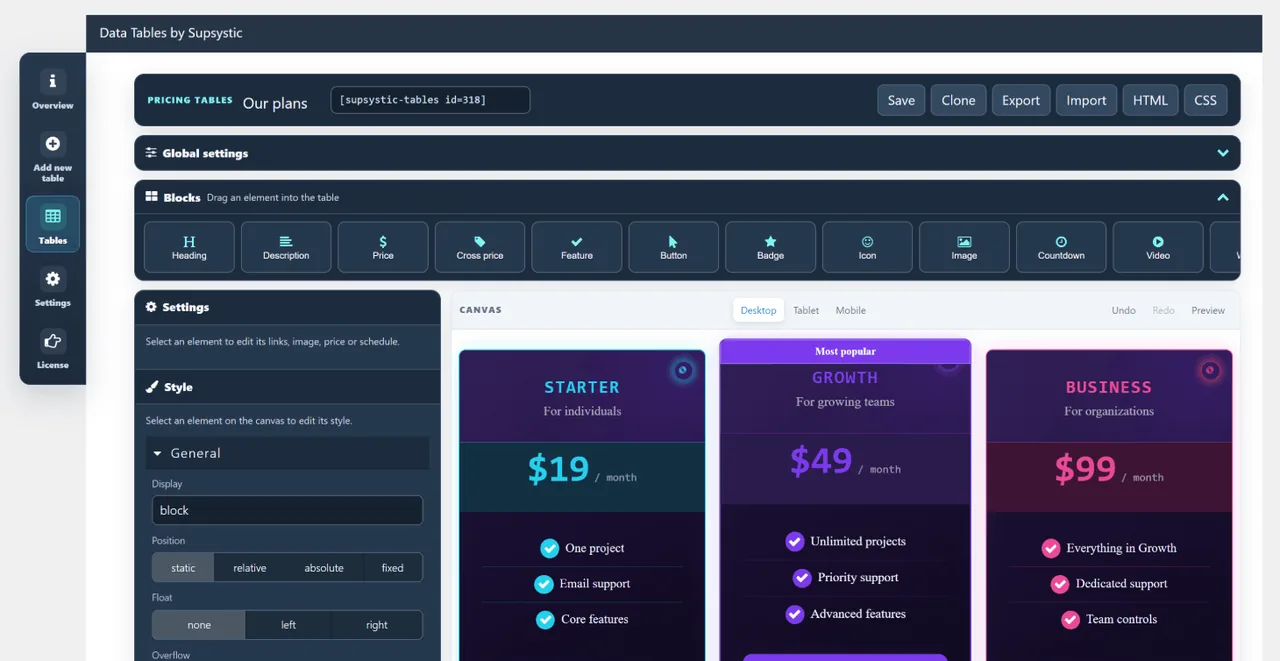
The pricing table builder works like a page builder: drag a block into a plan, click it to edit, and style it with colours, spacing and fonts. All 13 blocks are in the free plugin.
From clean SaaS plans to restaurant menus, Black Friday neon and retro games. A theme restyles your plans in one click and keeps your content. Three themes are free; Pro opens all 100+.
Looking for the classic tables made with the Pricing Table plugin? See the pricing table examples.
Show yearly savings, run a sale on its own schedule and keep heavy pages fast. These tools come with every Pro licence.
Plans, packages, memberships, menus and sales: whatever you sell, there is a layout and a theme for it.
Monthly and yearly plans side by side, a “Most popular” badge on the plan you want to sell and feature rows that show what every tier adds.
Glass SaaS · Fintech Dashboard · StartupService packages with what is included, a portfolio image or a short video, and a button to your contact form or booking page.
Swiss Editorial · Corporate NavyBundles and product tiers with a cart button that puts the chosen products straight into the WooCommerce cart.
Marketplace Commerce · Bento PricingMembership levels and course access, with a countdown to the enrolment deadline and a badge for the best value.
Online Academy · Kids LearningMenus, class passes and service price lists in themes made for them, readable on every phone.
Restaurant Menu · Coffee House · Fitness Energy · Medical CleanBlack Friday, Cyber Monday, Christmas and New Year themes, a crossed-out price, a countdown and, with Pro, a sale plan that runs on its own dates.
Dark Neon Black Friday · Gold New Year OfferNeed a long price list or a spec comparison instead? Build a sortable, searchable data table in the same plugin.
The pricing table builder lives in Data Tables Generator, a complete WordPress table plugin. Every table type comes from the same wizard and goes onto a page the same way.
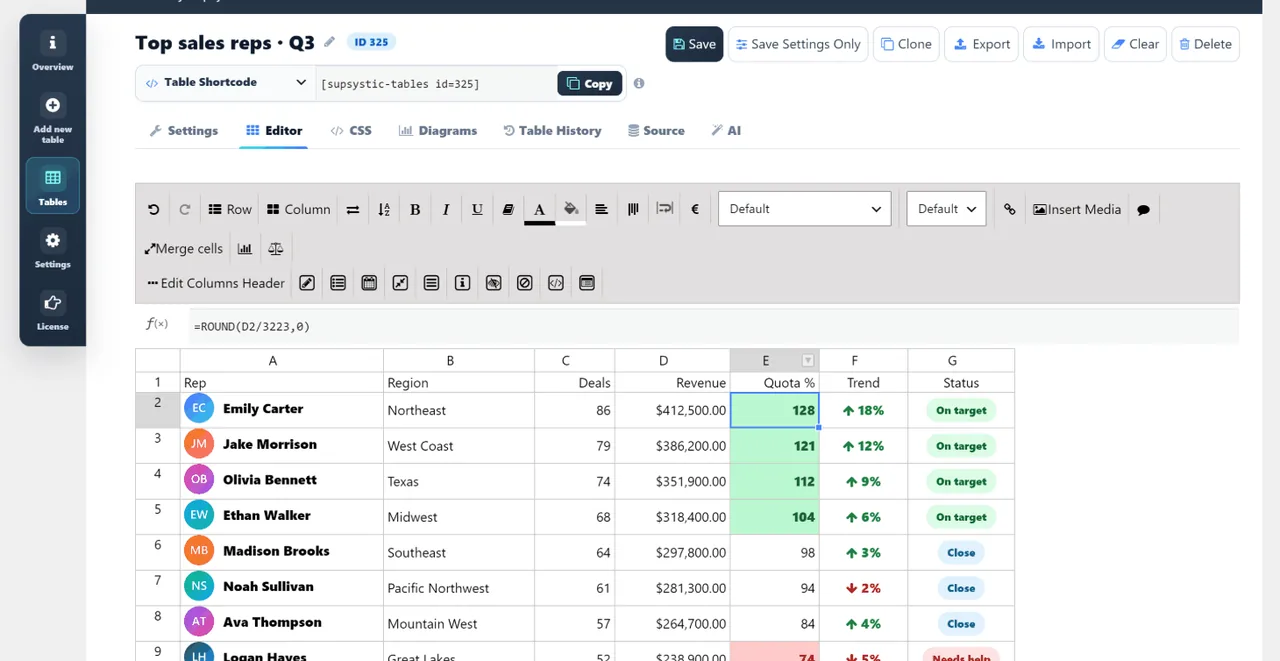 Excel-like data tablesA spreadsheet editor with formulas, merged cells and images, plus sorting, search and pagination for thousands of rows.Data tables
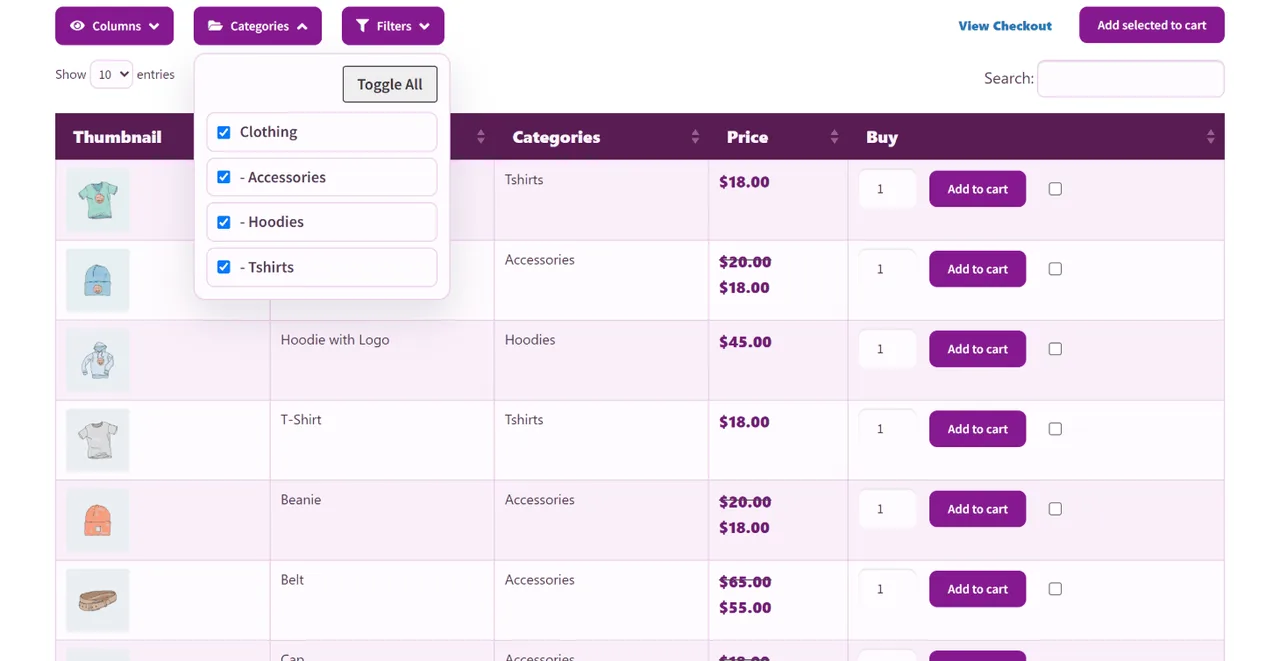 WooCommerce product tablesYour catalogue as a searchable product table with add to cart, quantities and buying several products at once.Product tables
Pricing tables You are herePlan cards on a visual canvas with badges, buy buttons, countdowns and 100+ themes.Back to the top
The free plugin has no limits on tables, plans or blocks. Pro adds the themes and tools that help a pricing page sell.
Everything in Free, plus:
Flexible options for individuals, businesses and agencies.
Choose your licence first, then your term.
Every licence unlocks all of Data Tables Generator Pro, premium pricing themes included. Licences differ only in the number of sites. Choose 3 years or lifetime for bigger savings, and get a full refund within 30 days if it is not right for you.
Yes. Pricing tables are a free table type in Data Tables Generator by Supsystic on WordPress.org: unlimited pricing tables, the drag-and-drop builder with every block, three themes and responsive layouts. Pro adds 100+ more themes, the monthly/yearly switch, loading on click and scheduled plans.
Install Data Tables Generator, open Data Tables → Add New Table and choose Pricing plans in the wizard. Edit the sample plans on the canvas and save. Then add the table with the Data Tables block in Gutenberg, the Elementor widget or the [supsystic-tables id=N] shortcode shown in the editor.
Yes. The builder previews every table on desktop, tablet and mobile, and plan columns stack on small screens, so your prices stay readable on phones.
Yes, with Pro. One switch changes every price on the table at once, and you name the periods yourself, for example Monthly, Yearly and Lifetime.
Buttons can link to any checkout: a PayPal or Stripe payment link, a WooCommerce product or your own cart page. When WooCommerce is active, the WooCommerce cart block adds the products you choose straight to the cart.
Pricing tables are now built in Data Tables Generator, which gets the new builder, themes and features. The Pricing Table plugin keeps working on sites that already use it, and its documentation stays online.
Yes, in the same plugin. For a long price list, a menu or a price table with many rows, choose Price list in the wizard and get a data table that visitors can sort, search and page through. To compare products or plans side by side, choose Comparison.
Yes. Use the Data Tables block in Gutenberg, the Elementor widget, or the shortcode in WPBakery, Divi and any other builder.
No. You drag blocks and edit text right on the table. If you want more control, the HTML and CSS panels let you change the markup and styles directly.
Every licence unlocks all of Data Tables Generator Pro: the premium pricing themes, the monthly/yearly switch, scheduled plans and loading on click, plus import and export, charts, smart filters and WooCommerce product table extras. Licences differ only in the number of sites. Pro starts at $49 per year, and every licence has a 30-day money-back guarantee.
More answers in the Data Tables documentation · or ask the team.
Install Data Tables Generator for free, pick Pricing plans in the wizard and publish in minutes. Upgrade when you want premium themes and the monthly/yearly switch.