#1 Maintenance Mode Plugin

Keep Visitors Informed. While You Build in Peace.

Put your WordPress site into maintenance mode or show a beautiful coming soon page in seconds. Collect emails, count down to launch, and never lose a visitor during downtime again.

4.6/5 · 290,000+ downloads
12 18 24 45 DAYS HRS MIN SEC [email protected] Notify Me
3Modes
9Templates
290K+Downloads
Three Powerful Modes
One Plugin. Every Situation Covered.

Whether you're rebuilding your site from scratch, making a quick fix, or launching soon — there's an exact mode for your situation. No more one-size-fits-all maintenance pages.

01
Coming Soon Page
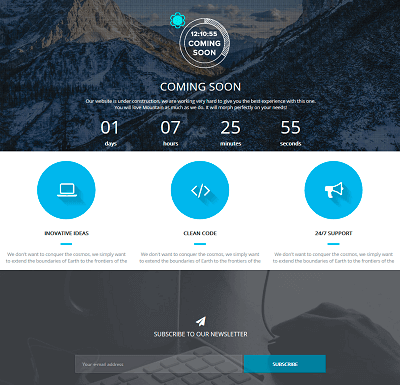
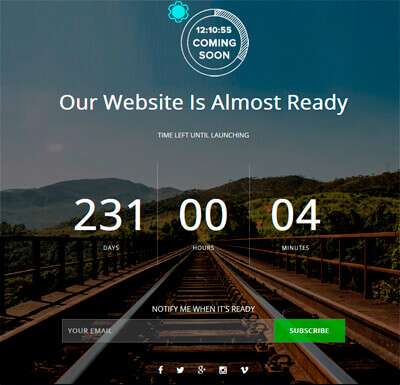
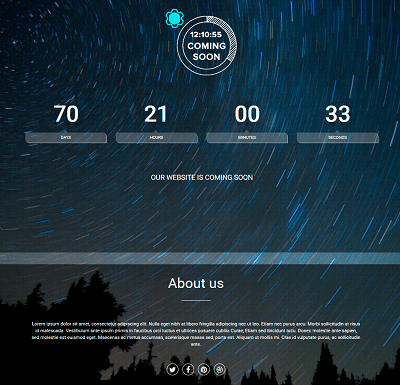
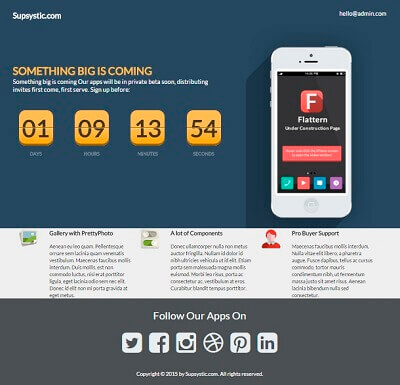
Show a stunning pre-launch page with a countdown timer, email subscription form, and social sharing buttons. Build hype and collect leads while your site is still under construction — before you even launch.
✓ Most Popular
02
Redirect Mode
Instantly redirect all your visitors to a separate temporary URL — whether that's a status page, a holding domain, or a specific announcement page. Zero configuration, instant redirect, full control over where traffic goes.
✓ Instant & Flexible
03
503 Header Response
Serve a proper HTTP 503 Service Unavailable response to search engine bots during maintenance. This tells Google the downtime is temporary — protecting your SEO rankings so you don't lose hard-earned positions while you work.
✓ SEO-safe downtime
A plain "down for maintenance" message loses visitors forever. A well-designed maintenance page captures emails, explains the situation, builds anticipation, and can even grow your audience — all while you work.
Core Features
Everything You Need for Professional Downtime

Built specifically for WordPress — every feature integrates natively with your site's design, theme, and plugins without wrestling with configuration.

Drag-and-Drop Builder
Design your maintenance or coming soon page with a live visual editor. Add, remove, and rearrange blocks — countdown, subscribe form, social links, logo, text — without writing a single line of code.
Countdown Timer
Set a target launch date and display a live ticking countdown. Creates urgency, communicates your timeline, and keeps visitors coming back to see if you've launched yet.
Fully Responsive
Every template looks flawless on desktop, tablet, and mobile. Your maintenance page will look as professional on a phone as it does on a 27-inch monitor — no additional tweaking needed.
Email Subscription Form
Capture visitor emails right on your maintenance page. Every person who lands during downtime can opt in to be notified at launch — turning lost visitors into your first newsletter subscribers.
9 Professional Templates
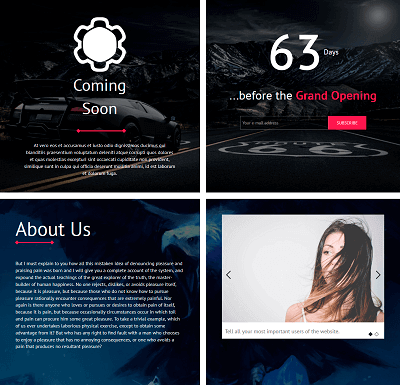
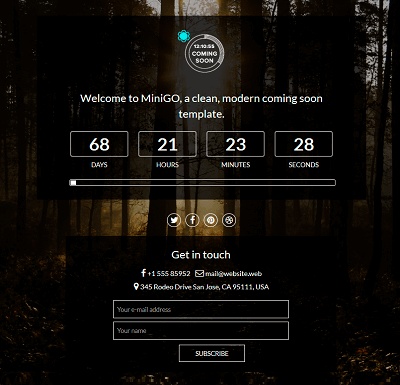
Choose from 9 professionally designed templates — dark, light, minimal, bold, industry-specific. Each is fully customisable via the visual builder. No generic "Under Construction" banners.
Custom CSS & HTML
Full developer access to add your own CSS or HTML blocks. Integrate custom brand elements, embed third-party widgets, or implement advanced styling that goes beyond the visual builder.
4-Step Setup
Live in Under 60 Seconds

From install to a live, professional maintenance page — in four simple steps. No coding, no CSS, no page builder knowledge required.

1
Install & Activate
One-click install from the WordPress plugin directory. Activate and the Maintenance Mode dashboard appears instantly in your WP admin.
2
Pick a Template
Browse 9 professional templates and pick the one that matches your brand. Each works beautifully right out of the box — customise only what you want to change.
3
Customise Content
Edit your headline, message, countdown date, logo, and colours using the live drag-and-drop builder. See your changes in real time as you make them.
4
Activate & Go
Toggle maintenance mode on with one click. Your page goes live instantly — you keep full admin access, while visitors see the beautiful page you just built.
Features

Drag-and-Drop Builder

Fully Responsive

Preset Templates

Countdown Timer

Any WordPress Theme

Custom CSS and HTML

503 Error On/Off

Redirect Mode

Subscription Option

Who Uses It
Every WordPress Site Needs This at Some Point

From solo bloggers updating their theme to agencies building client sites — Maintenance Mode fits naturally into every WordPress workflow.

Web Agencies & Freelancers
Build client sites without exposing an unfinished product. Show a branded coming soon page with the client's logo and launch countdown while you work. When the site is ready, toggle maintenance mode off and the real site appears instantly — no duplicate content, no messy redirects.
Site Migrations & Updates
Updating WordPress, switching themes, or migrating hosts? Enable maintenance mode first. Visitors see a clean page instead of a broken site mid-update.
Product & Brand Launches
Turn pre-launch anticipation into an asset. Use the coming soon page to collect waitlist emails and drive social shares before your product is even live.
Scheduled Maintenance Windows
Plan a maintenance window, set your countdown timer, enable the 503 mode, and communicate clearly with visitors — all without emailing your list manually.
Multi-Site & Network Managers
Managing multiple WordPress sites? Install once and activate per-site. Each site gets its own maintenance page, countdown, and settings — fully independent.
The Smart Choice
Why Maintenance Mode by Supsystic
Beats a Generic "Under Construction" Page

A static under construction message communicates nothing and loses visitors permanently. Here's what a dedicated plugin changes.

Generic Plugin / Static Page
The old way
Recommended
Maintenance Mode by Supsystic
The professional way
⏱️Countdown Timer
No countdown — no sense of timeline for visitors
Live countdown timer tied to your actual launch date
📧Email Capture
No lead collection — traffic during downtime is wasted
Built-in subscribe form captures emails while you work
🎨Design Quality
"Under Construction" text on a plain background
Choose from 9 pro templates, fully customisable via drag-and-drop
🔍SEO Protection
May get indexed as site content — hurts rankings
503 header mode tells Google it's temporary — rankings protected
📊Analytics
No data — no idea how many visitors you're losing
Google Analytics integration tracks visits during downtime
🔗Redirect Control
All-or-nothing — can't redirect to a specific URL
Redirect mode sends visitors to any URL you choose
Not recommended
Risk-Free Purchase
100% Risk-Free Guarantee
Not sure it fits your workflow?
Try Pro today. If it doesn't give you complete control over your site's downtime experience within 30 days, we'll refund every cent — no questions asked.
30-Day Money-Back Guarantee

All Maintenance Mode Pro licenses come with a 30-day money-back guarantee. Whether you're an agency putting dozens of client sites into maintenance mode or a solo site owner launching your first project — we want to make sure this is the right fit.

If you're not 100% satisfied with the templates, the drag-and-drop builder, the countdown timer, or any other feature within your first month — contact our support team for a full, hassle-free refund.

What's Included
Everything You Need to Manage Your Site's Downtime

Maintenance Mode by Supsystic is a complete, professional-grade plugin built for WordPress sites that can't afford a poor first impression during downtime. Every feature is included in your license — ready to use from the moment you install it.

Full Professional Template Library
Access all 9 premium templates with unique visual styles — dark, minimal, editorial, bold, photo-background, and more. Each fully editable via the drag-and-drop builder.
Email Subscription & Lead Capture
Add a subscribe form to your maintenance page to collect visitor emails. Export your list or integrate with your email marketing platform — turn downtime into list-building time.
Google Analytics Tracking
Embed your Google Analytics tracking code directly into the maintenance page. Know exactly how much traffic you're receiving during downtime so you can make informed decisions about your maintenance window.
Site View Options & Exclude URLs
Let specific user roles (admins, editors) bypass maintenance mode and view the live site normally. Exclude specific URLs from maintenance mode so your contact page or legal documents remain accessible.
Built for Real WordPress Sites
Whether you're an agency managing client launches, a developer handling site migrations, or a business owner rolling out a rebrand — Maintenance Mode gives you a polished, fully branded page that keeps visitors informed and engaged while your site is offline. 9 professionally designed templates, a live drag-and-drop builder, email capture, countdown timers, SEO protection, and analytics — all in one plugin, all working out of the box.
Licensing
Simple Licensing.
No Feature-Gating.

From a single WordPress site to a full agency portfolio — choose the license that fits your work today and scales as you grow.

Free Download

Use the free version to get started.
Upgrade when you need advanced features or support.

Free Download
Personal
$49 / year
  • 1 Site License
  • All Pro Features
  • Premium Support
Buy Now
30-Day Money Back Guarantee
Developer
$99 / year
  • 5 Site Licenses
  • All Pro Features
  • Premium Support
Buy Now
30-Day Money Back Guarantee
Enterprise
$199 / year
  • Unlimited Sites
  • All Pro Features
  • Premium Support
Buy Now
30-Day Money Back Guarantee
Choose 3-year or lifetime options for even greater savings. Bundle with other plugins and save up to 92% →
Human Support
Real Help From the People Who Build the Plugin

When you reach out, you talk directly to the team that builds, tests, and ships Maintenance Mode by Supsystic — not a generic support script or a tier-1 agent reading from a knowledge base.

We understand countdown timer configurations, 503 header edge cases, template customisation, and WordPress theme compatibility at a deep level — so your issues get resolved fast.

Protect Your Visitors. Launch With Confidence. Today.

Get a professional, fully branded maintenance page live in under 60 seconds — and make every downtime window a polished, intentional experience.

12 18 24 45 ★★★★★